DWELLO
RECORD CENTRE / CONSTRUCTION RECORDS
In Development

From Design Pack
to Databook.

Bring design information, site test records and project approvals into one shared workspace.

See Inside Record Centre ↓
01 / ONE PROJECT. ONE PLACE.

The whole project.
A clear view.

Keep construction documents, test worksheets, calibration records and drawing updates together. Give each team member access to the work they need.

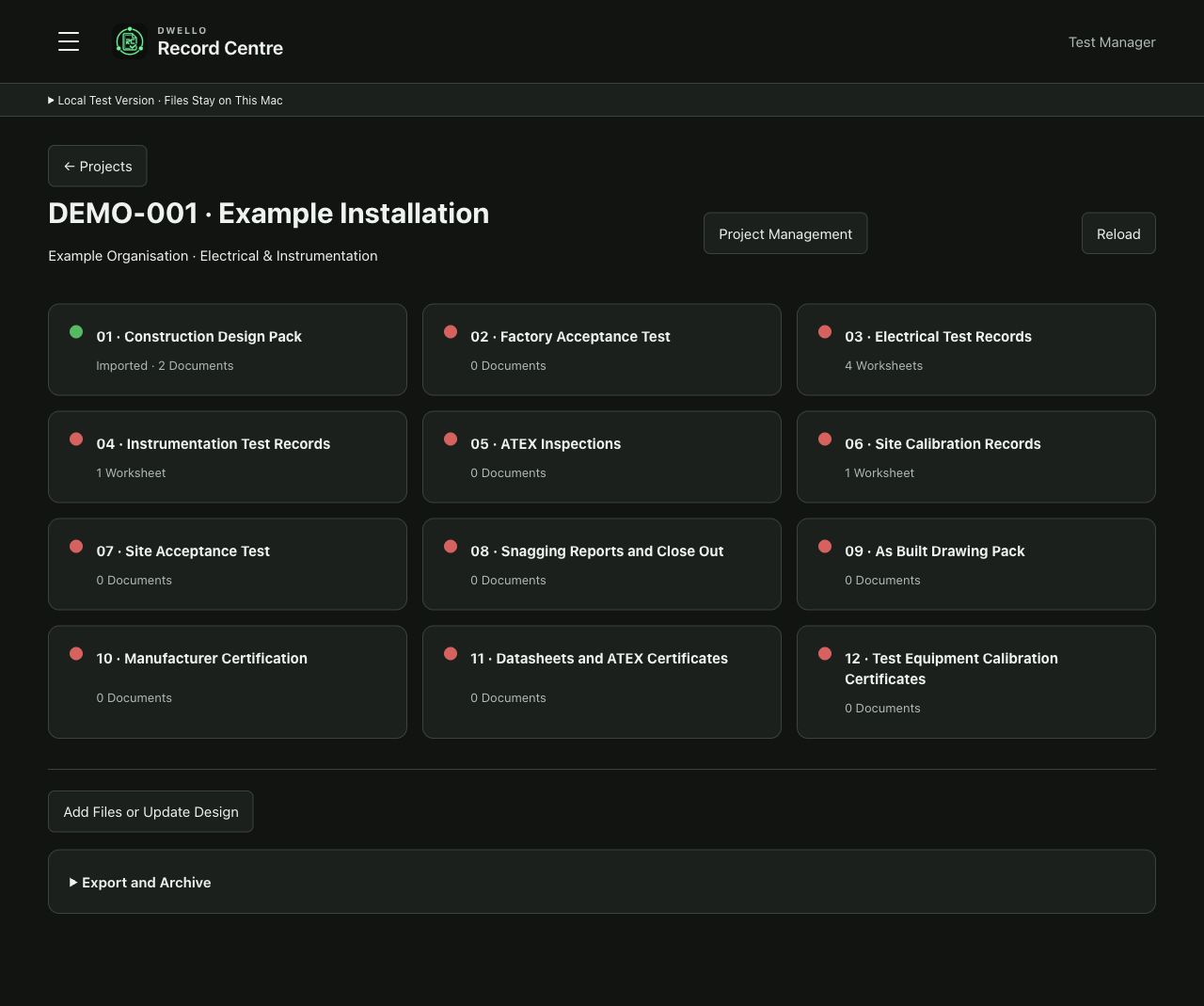
RECORD CENTREProject Sections
Record Centre project overview showing twelve construction record sections using a fictional demonstration project
Actual prototype interface · Fictional demonstration data · Select the image to enlarge.
02 / AI-ASSISTED DESIGN PACK INGESTION

Your design pack.
A head start.

Upload your design pack. AI-assisted extraction identifies equipment and circuits, pre-populates test sheets and highlights issues for review.

  1. 01Upload Your Design Pack
  2. 02Resolve Issues
  3. 03Generate Test Sheets
03 / ELECTRICAL TEST RECORDS

Familiar worksheets.
Less repeat entry.

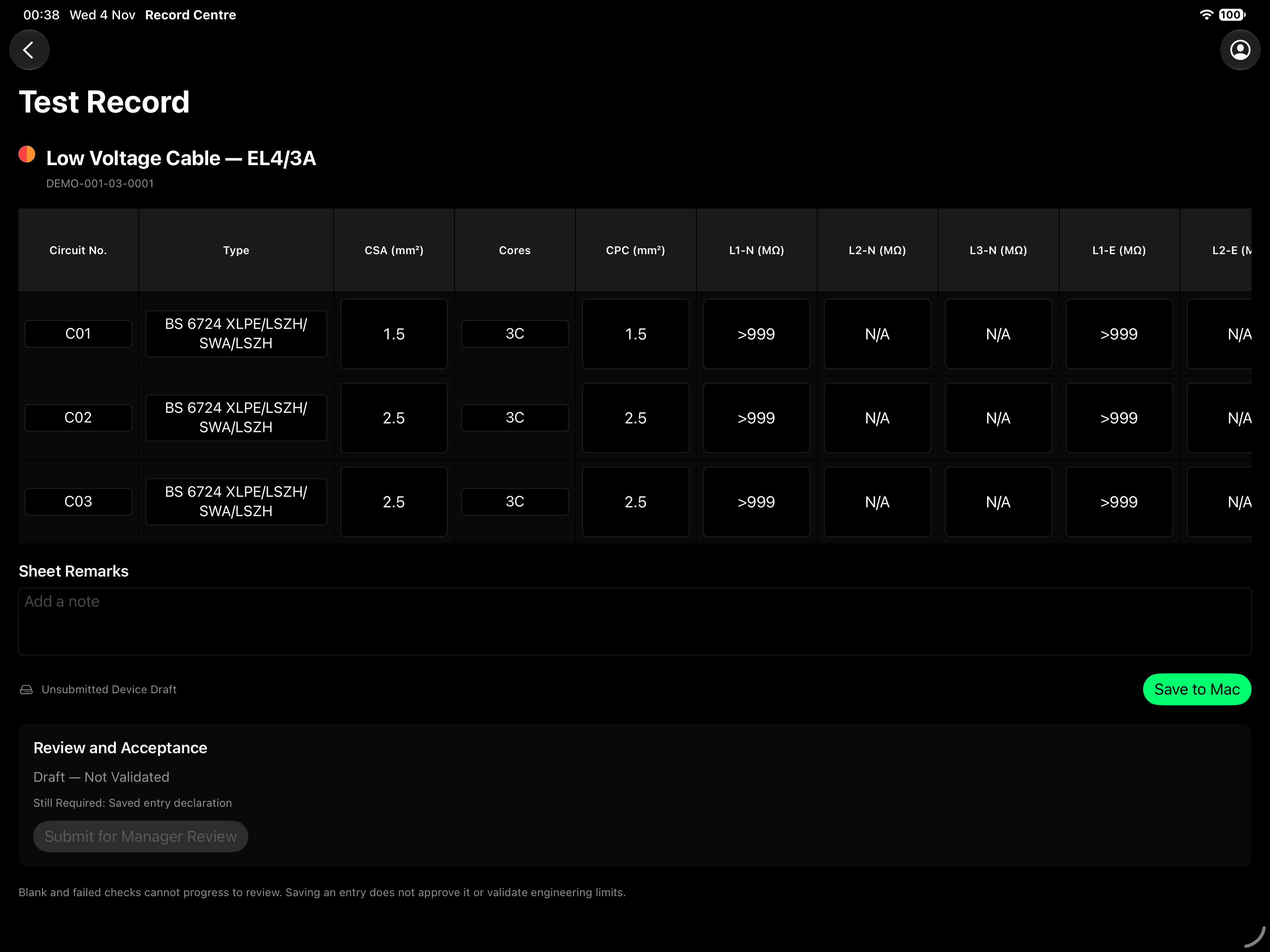
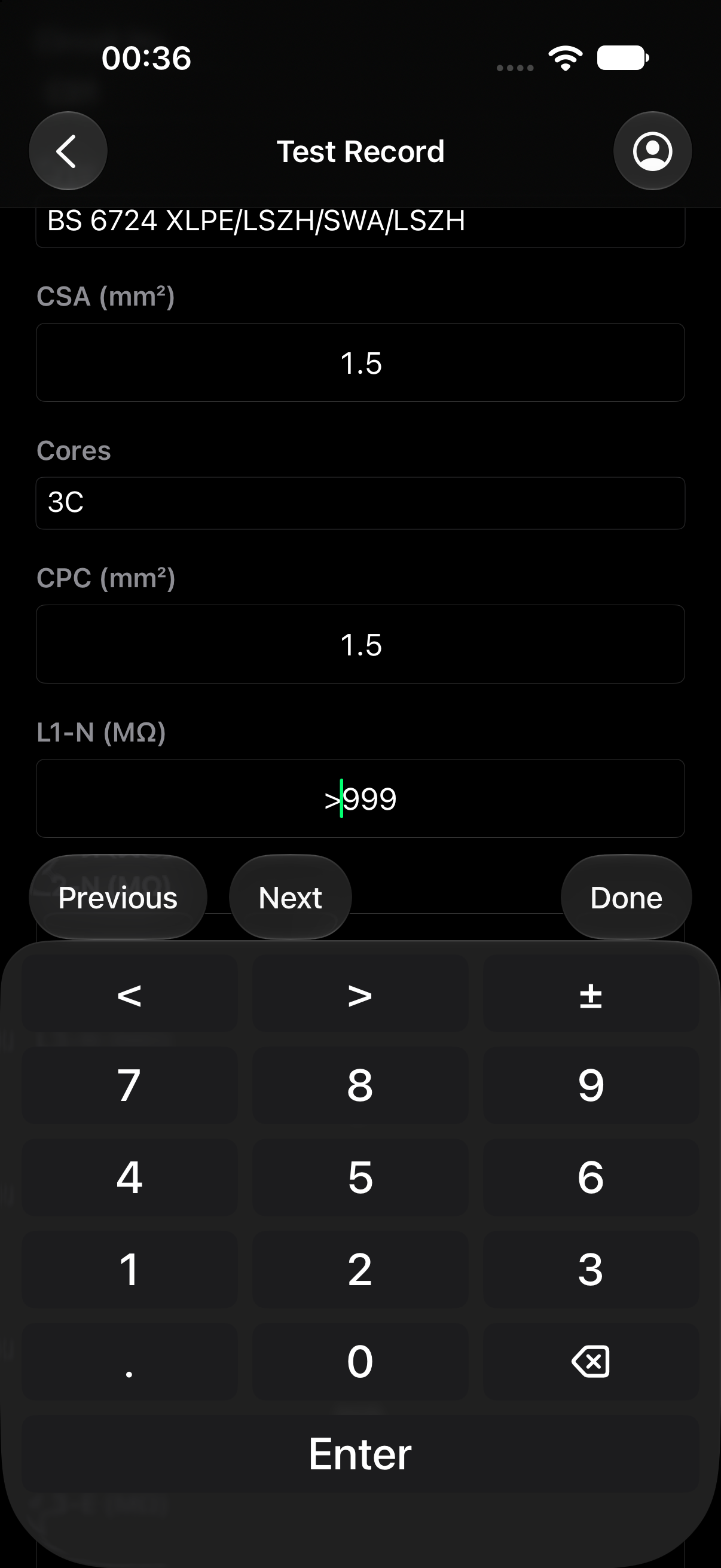
Complete worksheets on web browser, iPad or iPhone, with simple inspection checks & numeric entry.

iPadOS · Electrical Worksheet
Complete native iPad electrical worksheet screen using fictional demonstration records
iOS · Site Entry
Complete native iPhone electrical worksheet screen with fictional demonstration values
Tablet worksheet view with focused circuit entry and numeric keypad on iPhone · Actual native prototype screens · Fictional data only · Select a screen to enlarge.
04 / INSTRUMENT CALIBRATION

Enter the reading.
See the result.

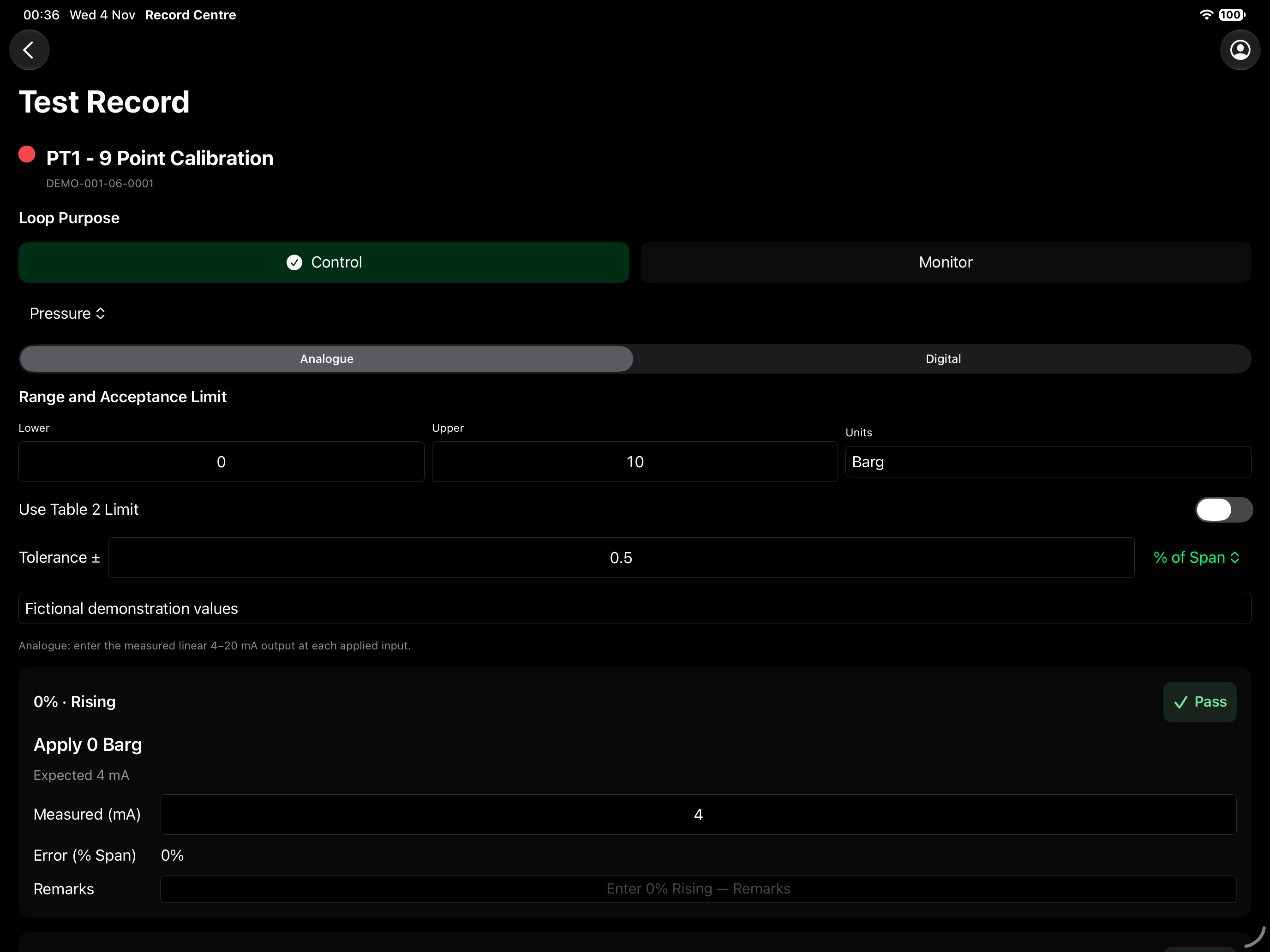
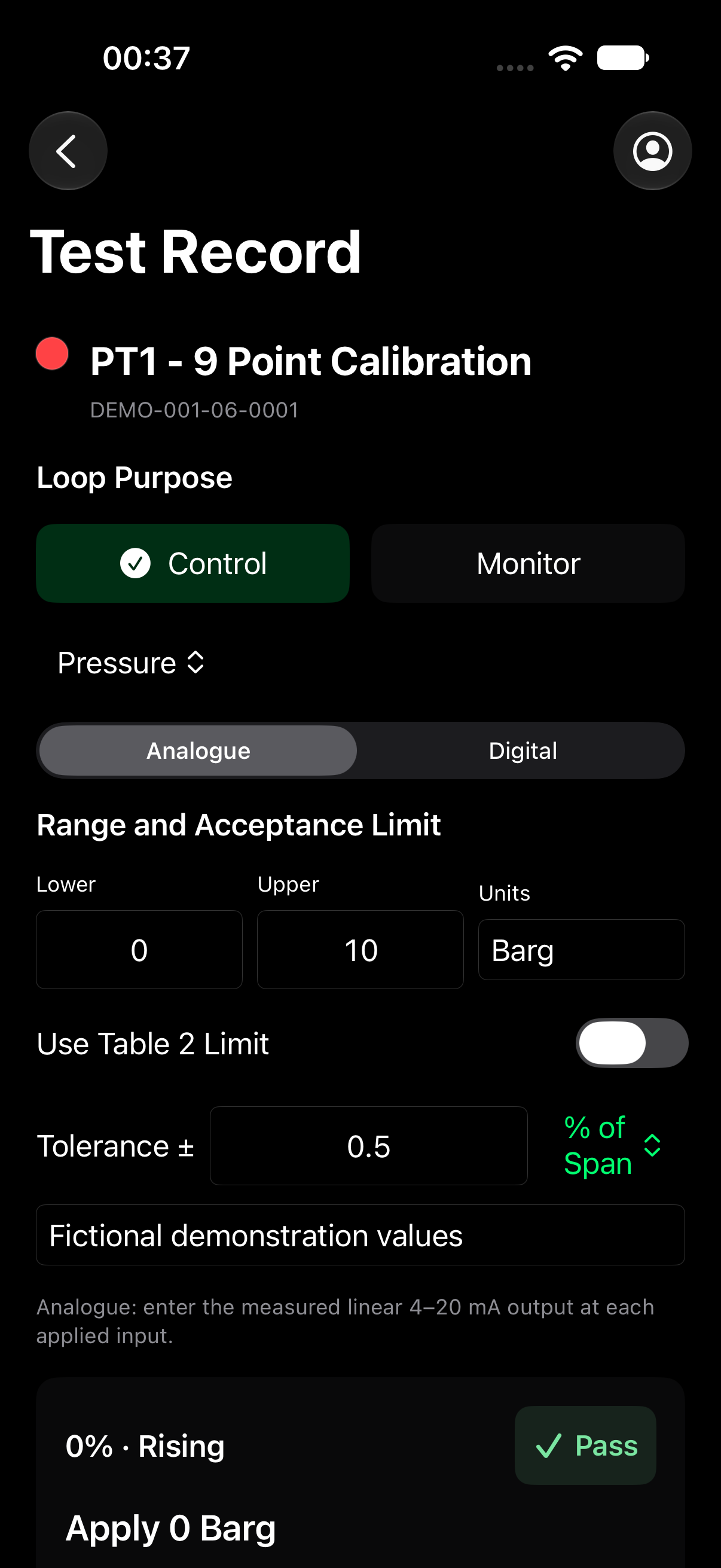
Define the range, application & tolerance, record inspection results with automatic error calculation.

iPadOS · Calibration
Complete native iPad calibration screen using fictional demonstration records
iOS · Site Entry
Complete native iPhone calibration screen with fictional demonstration values
Range, Control / Monitor selection, tolerance and point-by-point results · Actual native prototype screens · Fictional data only · Select a screen to enlarge.
05 / FROM SITE ENTRY TO HANDOVER

Built around the team.

01

Prepare

Upload the approved design pack and organise the records required for the project.

02

Record

Capture tests, inspections, snags and drawing markups against the work.

03

Review

Keep contributor declarations, Manager review and Client acceptance connected to the records.

04

Hand Over

Bring accepted records together for a structured ZIP or PDF dossier.

Record Centre is in development. Screens shown are from the local prototype; production access and availability will be announced separately.

Explore All Twelve Sections →
DESIGN. BUILD. RECORD.

Make the record
part of the work.

Discuss Record Centre and future pilot opportunities with Dwello Technologies Ltd.

Contact Us ↗